
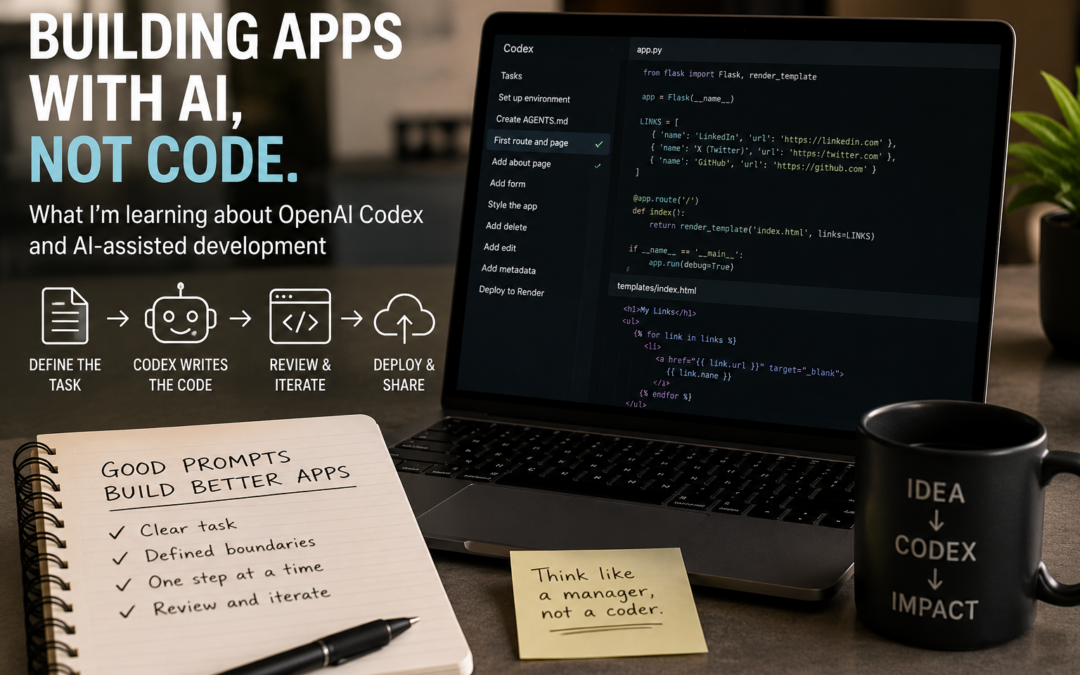
Building My First AI-Assisted Web App: Getting It Online and Improving It
Chapter Two of LinkedIn Learning’s OpenAI Codex 101: From Idea to Deployed App turned out to be far more realistic than I expected.
Not because everything worked perfectly.
Quite the opposite.
In fact, before I could even begin this chapter properly, I had to delete everything and start again.
The repository I’d created while following the course had stopped behaving as expected. After spending time trying to untangle the problems, I decided it would be quicker—and probably more educational—to start from scratch.
That meant deleting the original project, removing the deployment and rebuilding everything under a new project name.
It wasn’t how I expected to spend the start of the lesson, but it taught me an important lesson: AI-assisted development still involves troubleshooting, problem-solving and occasionally starting over.
Moving Beyond Prompting
The first part of Chapter Two wasn’t really about adding new features.
Instead, it focused on something that is arguably more important: learning how to review what AI produces.
Until now, I’d mostly been treating Codex as a black box.
You type a prompt.
It writes some code.
Something appears.
This chapter encouraged me to slow down and look at what was actually happening.
What files had changed?
Did the changes match the instructions?
Had the AI added anything unexpected?
As a journalist, this felt surprisingly familiar. It’s the same instinct you develop when reviewing information from a source. You don’t simply accept it—you check it.
The same principle applies when AI writes code.
The First Big Milestone: Getting The App Online
The major achievement in the first half of the chapter was deployment.
The app I’d created in Chapter One already worked locally on my computer. The challenge now was making it available on the internet so that other people could access it.
After working through the deployment process and recovering from my earlier restart, I finally got the application live.

The app successfully deployed and available on the web.
This was one of those moments where things suddenly feel real.
Up until this point I’d been working inside development environments, GitHub repositories and AI coding tools. Now I had something that could be accessed through a web browser.
That felt like a genuine milestone.
Iteration Begins
With the deployment working, the focus shifted towards improving the application itself.
One of the recurring themes throughout the chapter was iteration.
Rather than trying to build a complete application in a single prompt, the course encourages making small improvements one step at a time.
The first improvement was allowing users to add their own links through a web form.

Users could now submit their own links rather than relying on hard-coded content.
This was a significant change because it transformed the app from something static into something interactive.
Users could now contribute content without touching any code.
Making It Look More Professional
Once the core functionality was working, attention turned to presentation.
The next update improved the appearance of the application, making it look less like a development exercise and more like a real product.
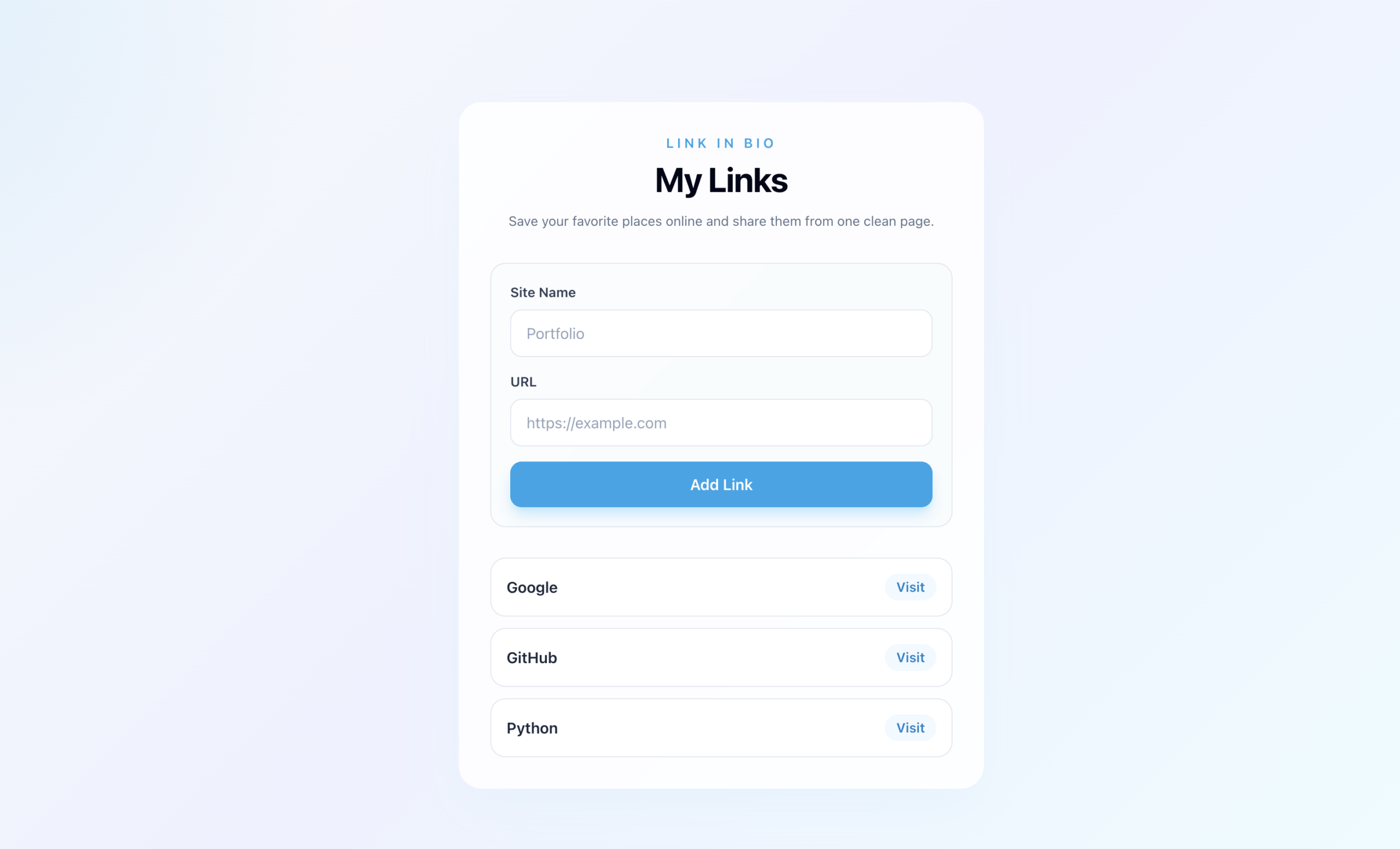
The first major visual redesign.
It’s surprising how much difference styling makes.
The underlying functionality hadn’t changed dramatically, but the app suddenly felt more polished and more usable.
Giving Users More Control
The next enhancement focused on managing links.
Adding links was useful, but there was still no way to remove them.
That changed with the next iteration.
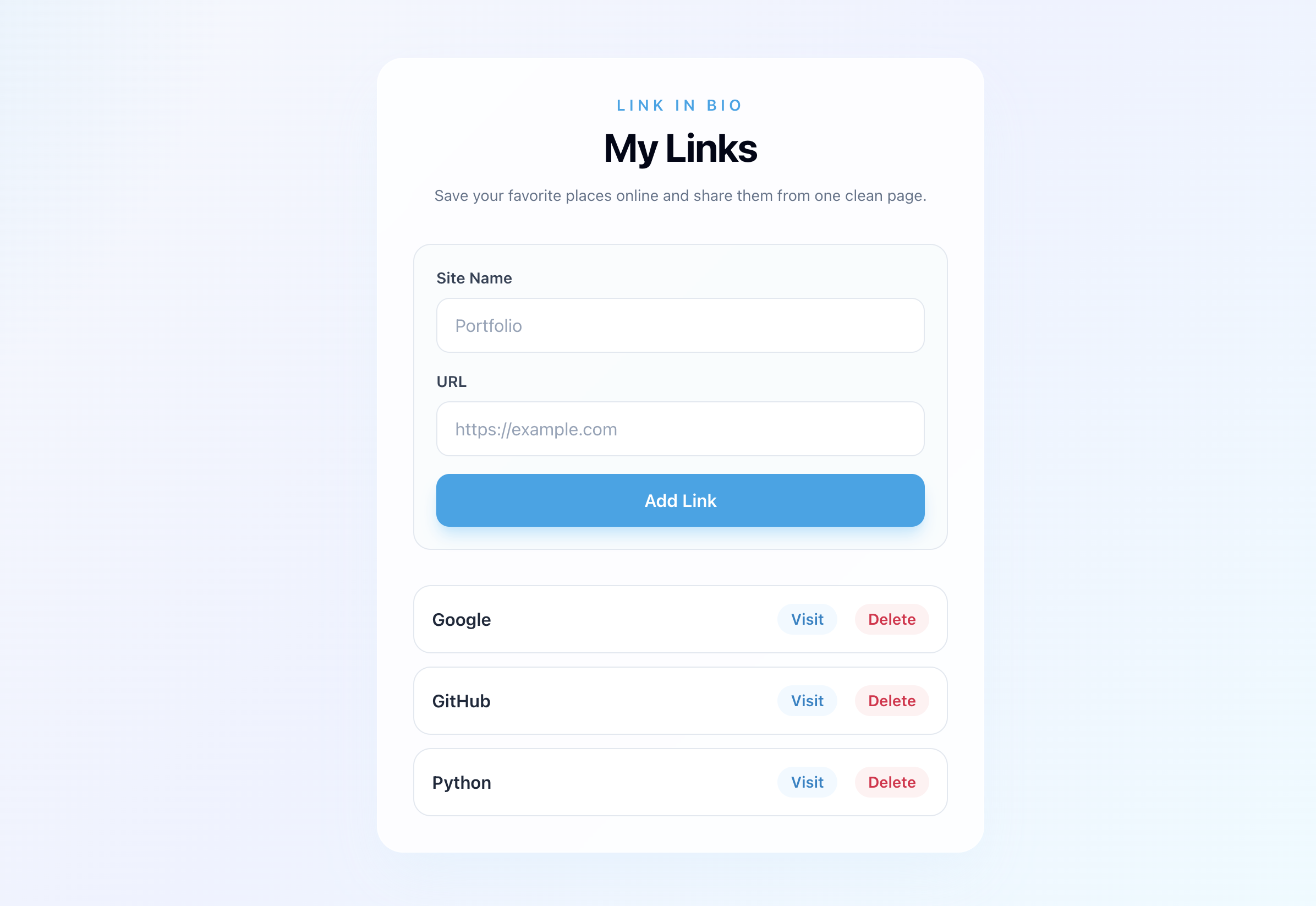
Users could now delete links as well as add them.
This was another example of how software often evolves through small, targeted improvements.
Each feature solved a specific problem and built upon the previous version.
Completing Chapter Two
The final update introduced even more flexibility by allowing links to be edited as well as added or removed.
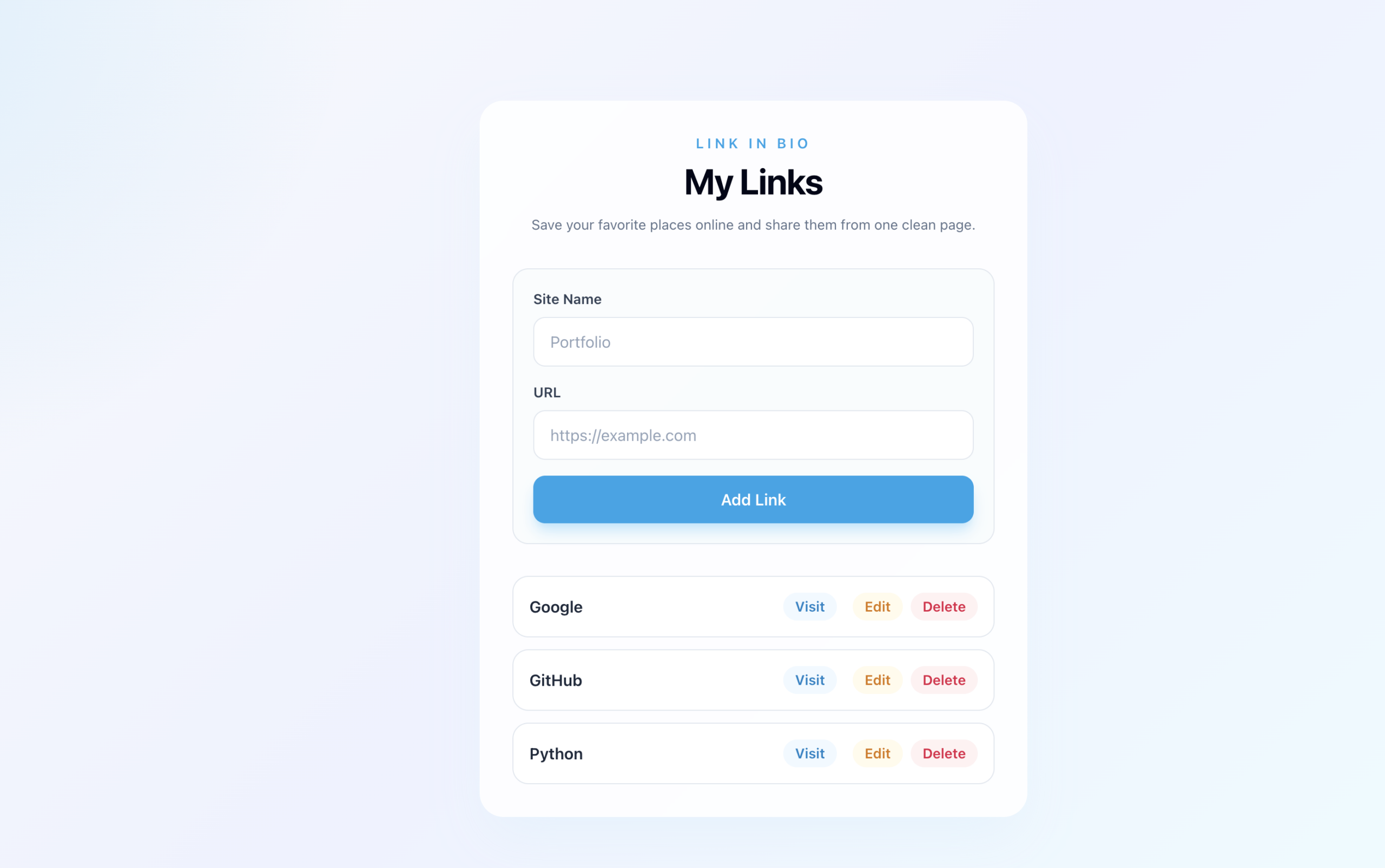
The completed Chapter Two version featuring add, edit and delete functionality.
Looking back at the first deployed version and comparing it to this one, the progress is easy to see.
What started as a simple web page had become a genuinely interactive application.
More importantly, it had been built through a series of manageable prompts and iterative improvements rather than one giant leap.
What I Learned
The biggest lesson from Chapter Two wasn’t deployment.
It wasn’t styling.
And it wasn’t adding forms.
It was learning that AI-assisted development still requires human judgement.
You need to review what the AI produces.
You need to test it.
You need to decide whether it actually solves the problem you intended to solve.
And sometimes, when things go wrong, you need to be prepared to delete everything and start again.
That was certainly true in my case.
The good news is that the restart worked.
The app is now online, functional and considerably more capable than when I began the chapter.
Most importantly, I now have a much better understanding of the workflow needed to turn an AI-generated idea into something that people can actually use.
With Chapter Two complete, it’s time to move on to the final stage of the course and see where the project goes next.